
N-Key Rollover Test – Check NKRO Online Free (2026)
N-key rollover test – how many keys register at once
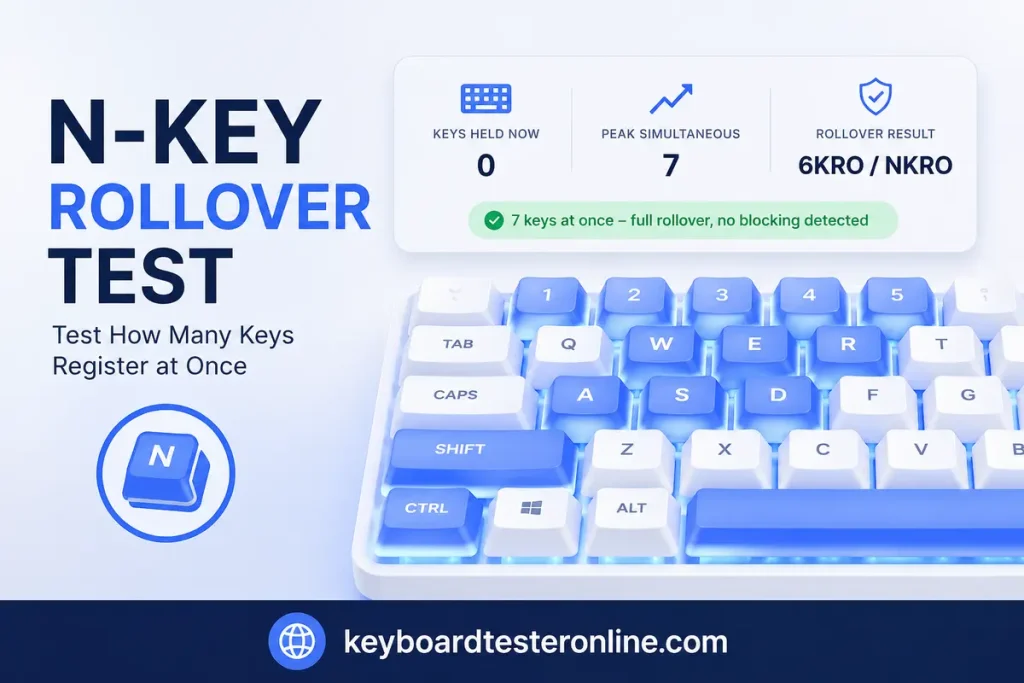
Hold down as many keys as you can right now. The counter above the keyboard shows exactly how many your keyboard is registering simultaneously – that number is your keyboard’s rollover limit.
🔒 Privacy Notice: This N-Key Rollover Test Tool detects keystrokes locally in your browser. No keypress data is recorded, stored, or sent to any server.
Hold down as many keys as you can at the same time — use both hands and start with the letter keys rather than the modifiers. The counter shows how many your keyboard reports at once, which is its rollover limit.
Ctrl, Alt, Shift and the Windows/Command keys sit on their own dedicated lines in the matrix, so they do not count towards a real rollover figure. Six keys plus modifiers is the limit of standard USB; more than that means your keyboard negotiates full N-key rollover.
How to run the N-key rollover test
- Place all your fingers on the keyboard.
- Press and hold as many keys as possible at the same time – use both hands.
- Watch the “Keys Held Now” counter – that’s your live simultaneous key count.
- Check “Peak Simultaneous” – that’s the highest number you reached.
- If the counter stops climbing before you run out of fingers, you’ve hit your keyboard’s rollover limit.
Try the WASD + Shift + Space + Ctrl + E combo specifically – that’s the most common gaming combo that fails on keyboards with low rollover.g.
What your result means
6 or more keys registered – NKRO or 6KRO:
Your keyboard handles every standard gaming combo without dropping a key. WASD + Shift + Space + Ctrl all register together – you won’t lose inputs mid-game. Any result of 6 or above is sufficient for competitive gaming.
3 to 5 keys registered – partial rollover:
Your keyboard registers most combos correctly but will drop inputs when you press too many keys at once. For casual gaming and typing this is fine. For fast-paced competitive games where you hold 6+ keys simultaneously, you’ll occasionally lose a keystroke.
2 keys registered – 2KRO:
Your keyboard only guarantees 2 simultaneous keys. A third key pressed while two are held may or may not register – the result depends on which specific keys you’re pressing. 2KRO keyboards are common on budget membrane boards and older laptops. They’re adequate for typing but not for gaming.
Counter drops when you go wireless:
Many keyboards that support full NKRO over USB drop to 6KRO when switched to wireless mode. This is a known limitation in the Bluetooth HID protocol – it caps simultaneous key reports at 6. If your wireless keyboard shows fewer simultaneous keys than its wired spec claims, that’s why.
What is N-key rollover – and why does it matter?
N-key rollover (NKRO) means every single key on your keyboard registers independently, no matter how many other keys are held down at the same time. The “N” stands for any number – there’s no cap.
6KRO means your keyboard guarantees 6 simultaneous key presses. For most gaming scenarios, 6KRO and NKRO produce identical results – you won’t press 7 keys at once during normal play. The real-world difference between NKRO and 6KRO is almost zero for 99% of players.
2KRO means only 2 keys are guaranteed to register at once. A third key held simultaneously may or may not be detected depending on which row and column it sits on in the keyboard’s scan matrix. Budget membrane keyboards almost always use 2KRO.
The reason this matters in gaming is simple: pressing WASD + Shift + Space + Ctrl at the same time = 6 keys. If your keyboard drops one of those on a 5KRO board, you stutter mid-movement. Most gaming keyboards ship with 6KRO minimum – full NKRO is a marketing advantage but not a meaningful performance difference over 6KRO.
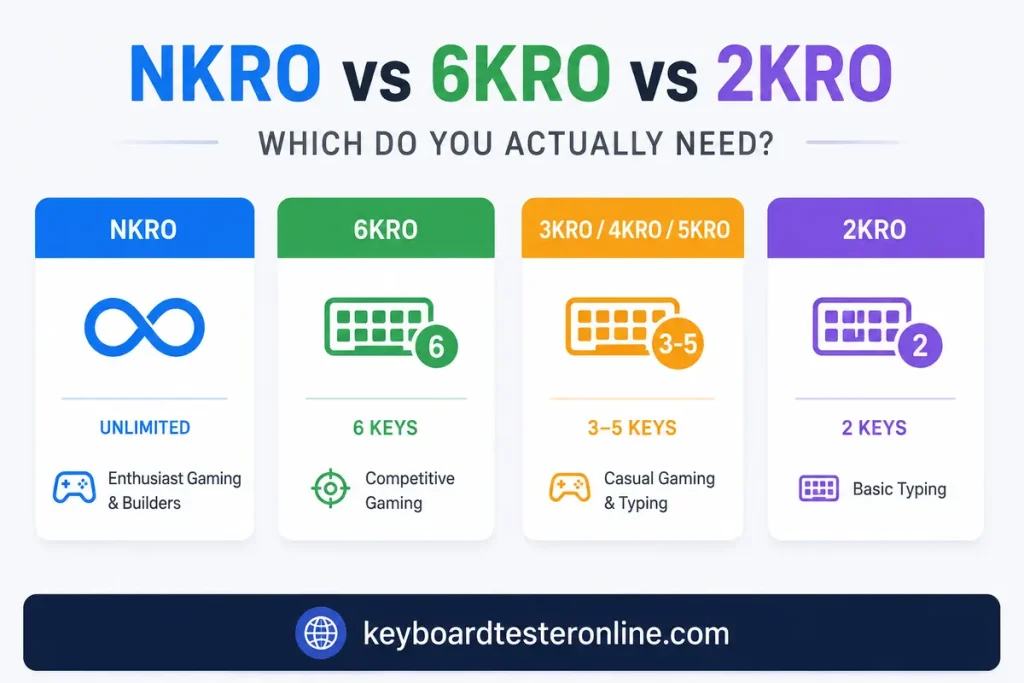
NKRO vs 6KRO vs 2KRO – which do you actually need?
| Rollover | Keys guaranteed | Best for |
|---|---|---|
| NKRO | Unlimited | Enthusiast gaming, keyboard builders, maximum assurance |
| 6KRO | 6 simultaneous | Competitive gaming – covers every real-world combo |
| 3KRO / 4KRO / 5KRO | 3–5 simultaneous | Casual gaming, most typing tasks |
| 2KRO | 2 simultaneous | Basic typing – not suitable for gaming |
The honest answer: If your keyboard hits 6 or above on this test, you have enough rollover for any game. Chasing NKRO over 6KRO won’t make you faster or more accurate – it’s a spec number, not a performance advantage at 6+.
Why does my keyboard register fewer keys over Bluetooth?
The Bluetooth HID (Human Interface Device) specification has a built-in limit. The standard keyboard report packet carries a maximum of 6 simultaneous non-modifier keys. That’s a protocol constraint – not a hardware limitation of your keyboard.
Keyboards that advertise NKRO are usually referring to wired USB mode. Over USB, the keyboard can use a different HID report format that supports more simultaneous keys. Over Bluetooth, it falls back to the standard 6-key report.
If you need full NKRO on Bluetooth, look for keyboards that use proprietary wireless protocols (like Logitech’s 2.4GHz LIGHTSPEED or similar) rather than standard Bluetooth – these bypass the Bluetooth HID limitation entirely.
Does rollover affect typing, or only gaming?
Rollover matters almost exclusively for gaming. In standard typing, you’re pressing keys sequentially – even fast typists rarely hold more than 2 keys down simultaneously. Most rollover failures during typing come from people who type fast enough that two keys physically overlap in press time, not from intentionally holding combos.
If you’re a fast typist hitting 90+ WPM and you’re seeing missed characters, it’s more likely a keyboard chatter problem or a polling rate issue rather than a rollover failure. Rollover failures in typing look like completely missing characters – not doubled ones.
How keyboards physically limit rollover – the scan matrix explained
Every keyboard uses a scan matrix – a grid of rows and columns. Each key sits at a unique row-column intersection. When you press a key, the keyboard’s controller detects which row and column just made contact.
The problem is called ghosting – when three keys in an L-shape on the matrix create a false fourth key signal. Keyboards handle this by either adding diodes to every switch (which eliminates ghosting and allows NKRO) or by limiting the software report to a safe number of simultaneous keys (6KRO).
Keyboards with per-key diodes – most mechanical gaming keyboards – can support true NKRO. Every keypress is electrically isolated so the controller knows exactly which keys are down regardless of how many others are held.
Keyboards without per-key diodes – most membrane boards – use software 6KRO to avoid sending ghost inputs. Remove that limit and you’d get phantom keypresses from the matrix interference.
This is why mechanical keyboards almost universally support higher rollover than membrane keyboards at the same price point – it’s the diodes, not the switches themselves, that determine rollover capability.
Frequently asked questions
What’s the difference between N-key rollover and anti-ghosting?
They solve the same underlying problem from different angles. NKRO describes how many keys register simultaneously. Anti-ghosting describes the ability to prevent false phantom keypresses from appearing when certain key combinations are held. A keyboard with true NKRO achieves both – it registers all held keys correctly and produces no ghost inputs. A keyboard marketed as “anti-ghosting” without NKRO may block phantom keys but still cap simultaneous registration at 6 or fewer.
My keyboard says NKRO on the box but this test shows 6 – why?
Check whether you’re connected via USB or Bluetooth. NKRO claims on keyboard packaging almost always refer to wired USB mode. Switch to a USB cable and rerun this test – you’ll likely hit the full NKRO result. Over Bluetooth, 6 simultaneous keys is the standard ceiling due to the HID protocol limit.
Does NKRO make a real difference in FPS games?
For most FPS players – no. The maximum simultaneous keypresses in typical FPS gameplay (move forward + strafe + crouch + sprint + one action) lands at 5 to 6 keys. 6KRO covers this without any dropped inputs. NKRO becomes relevant in rhythm games, some fighting games, and for players who use non-standard movement bindings that stack more than 6 simultaneous keys.
Can I test NKRO on a laptop keyboard?
Yes – run this test on your laptop’s built-in keyboard. Most laptop keyboards use 6KRO or lower because they don’t have per-key diodes. If you’re buying a laptop for gaming and rollover matters to you, test it with this tool before purchasing. The laptop keyboard test gives you a compact layout that matches the built-in keyboard more closely.
Why do some key combinations register fewer simultaneous keys than others?
The keyboard’s scan matrix creates “blocking zones” – groups of keys that share matrix rows and columns. Pressing all your keys within one zone will hit the rollover limit faster than pressing keys spread across the whole keyboard. If you want to test your keyboard’s realistic gaming rollover, test specifically with WASD + Shift + Ctrl + Space + E – those are the keys that actually overlap in real gameplay.
Does this test work on gaming consoles?
If you have a keyboard connected to a PS5, Xbox, or Nintendo Switch via USB, open a browser on the console and navigate to this page. The test runs on any device with a browser and a physical keyboard – the platform doesn’t matter.
Related keyboard tests
The rollover test tells you how many keys register simultaneously. These three tests cover what happens when that limit is reached or other key-registration problems appear:
- Anti-ghosting test – test specific gaming combos (WASD + Shift + Space) and see exactly which keys get blocked when held together
- Keyboard chatter test – if a key registers twice from one press, that’s chatter, not a rollover failure
- Keyboard polling rate test – polling rate determines how often your keyboard reports key states to your PC, which affects perceived input latency alongside rollover
Run the keyboard tester online first if you haven’t confirmed all your keys are registering individually – rollover issues only matter once basic key registration is confirmed.